Design hardware with your agent, in VS Code.
A Protoboard project describes a device as code: its modules, the interfaces between them, and the cables that connect them. Your agent writes it. Protoboard checks it as you go and shows it as a live diagram and a 3D assembly. Free and open source.
Or the command line alone: npm i -g @protoboardai/cli
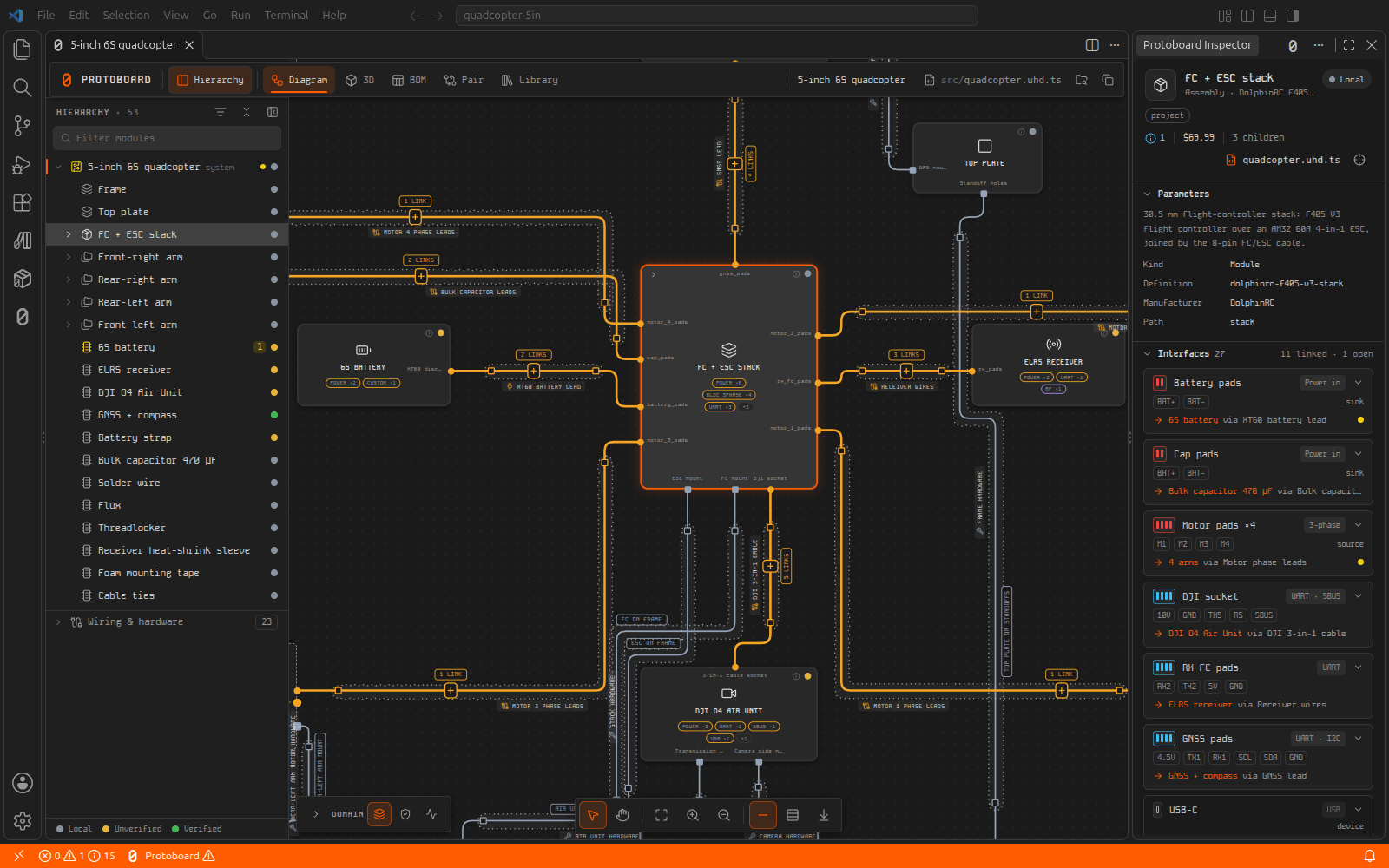
From a system diagram to a manufacturing package.
Live system diagram
01Every module, interface and cable, redrawn each time the project changes. Open any module in its own tab.
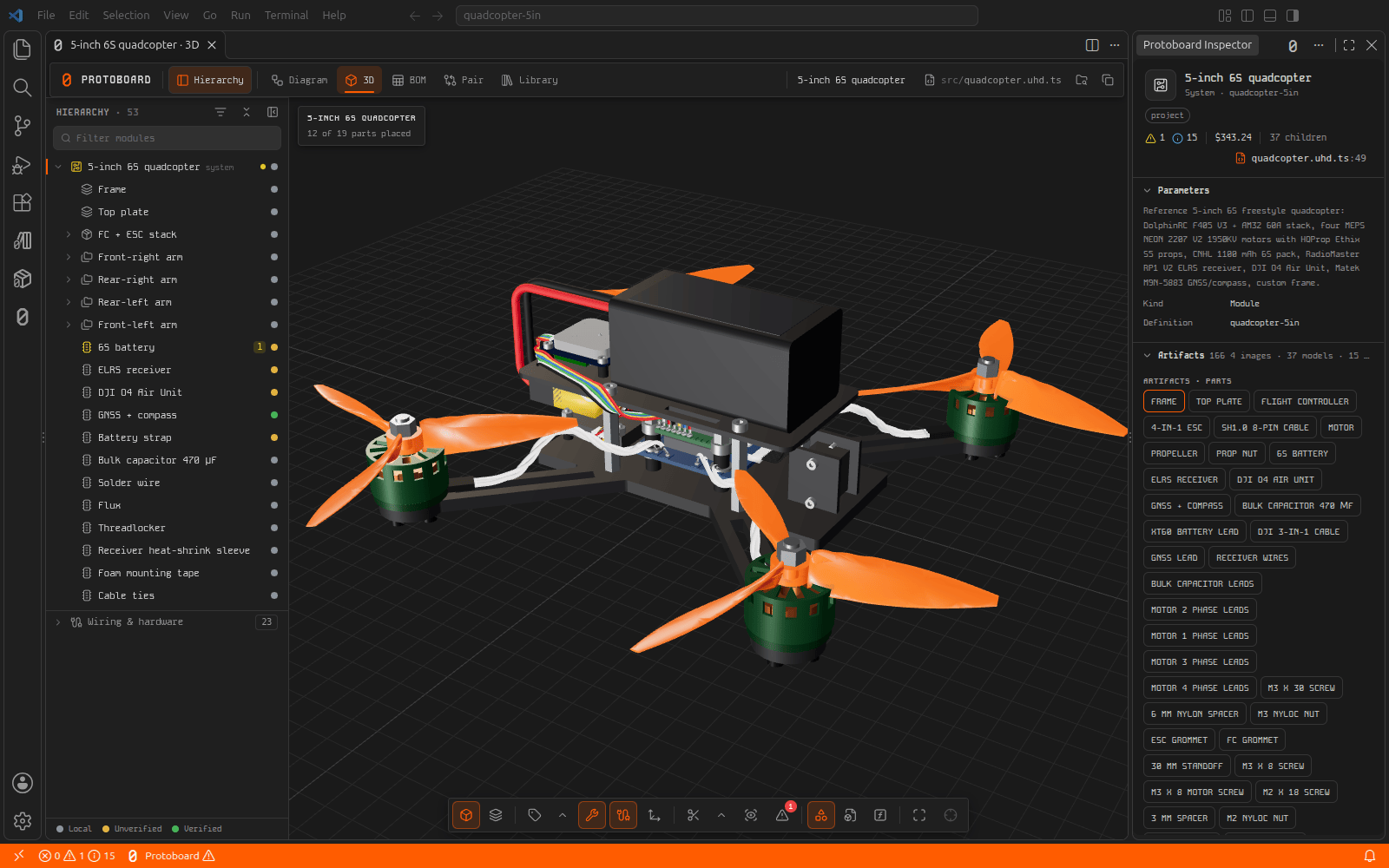
3D assembly
02The assembled device from each part’s CAD model, with X-ray for what sits inside.
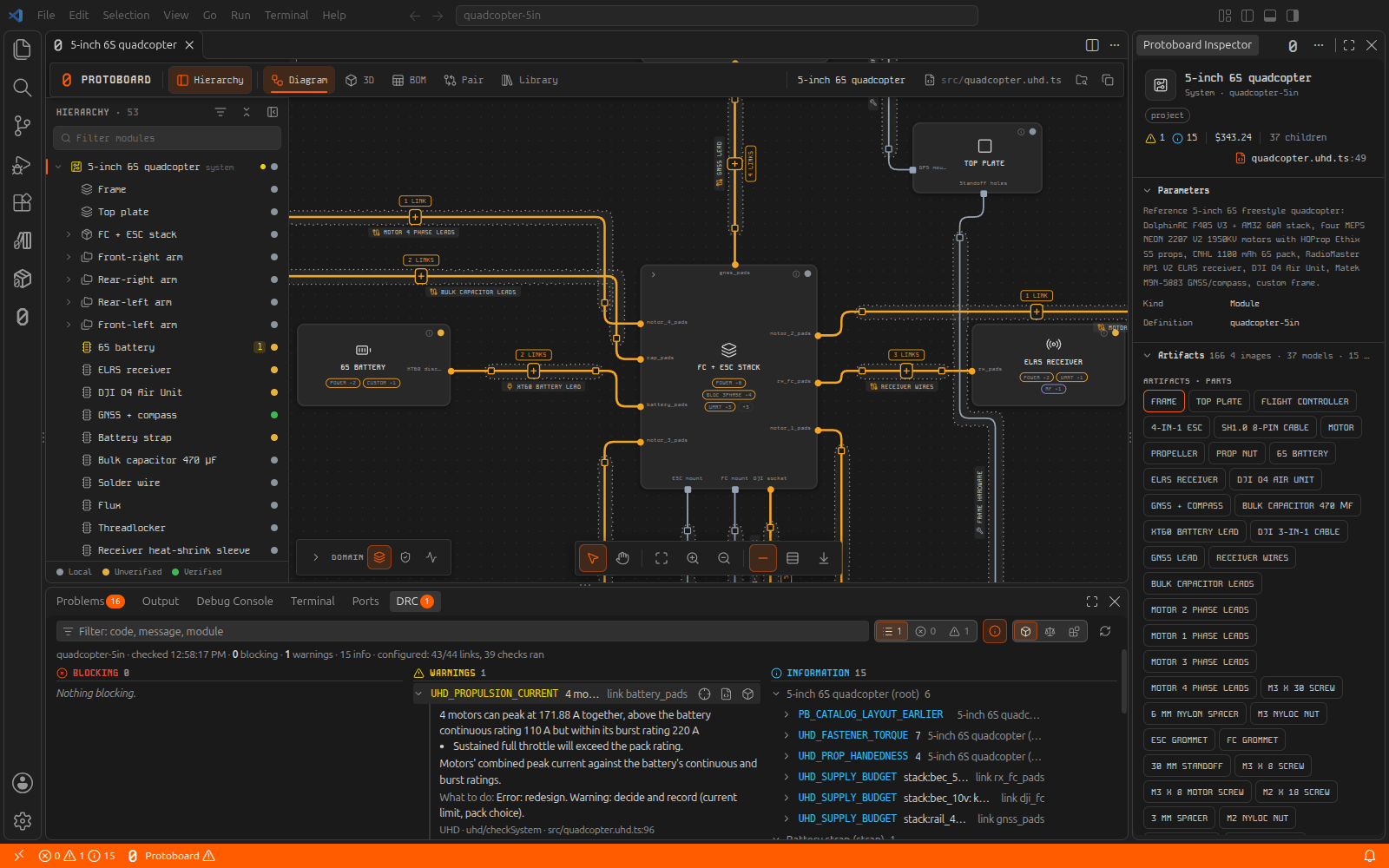
Checks as you work
03Design rule checks run when you open and save. Each finding sits at its line, with the reason.
Parts library
04Search parts with their CAD, datasheets and prices, and add them to your project.
Manufacturing package
05One command produces the BOM, ordering list, assembly guide, test plan and manufacturing files.
Your tools
06Drives tscircuit and KiCad for boards, build123d for CAD, and Zephyr and ESP-IDF for firmware.
Any agent
Claude Code, Codex, Cursor, Windsurf, GitHub Copilot, or any MCP client. One step connects it to your project.
Any model
Local or frontier. Protoboard does not run the agent, so the model is your choice.
Your machine
Project files never leave it, and the extension sends no telemetry. Only the parts library needs an account.
Open source
The whole stack is on GitHub under Apache-2.0. Read it, fork it, send a pull request.
Three steps to a first project.
Other platforms give your agent a canvas. Protoboard gives it validated hardware.
Every hardware design tool today makes the agent do the same expensive thing: read datasheets, guess at pinouts, and hope the parts fit. Protoboard describes components, interfaces, and connections in a structured hardware language, so an agent can reason about a design directly and Protoboard can check it deterministically before anything gets built.
OK:01Your agent reads a structured part definition, not a 200-page PDF. Pinouts, voltages, protocols, and mechanical constraints are already parsed. Less context per part means longer sessions, faster iteration, and lower bills.
OK:02Every connection carries its constraints. Protoboard checks voltage, protocol, timing, mechanical fit, and thermal limits across the whole system before you order a board. It can say no, with reasons and citations.
Try the validator →OK:03Design decisions live in project files, not in a chat transcript. Any agent, any editor, same context. Our engineers build every client project on the same platform you can use today.
A language for validated hardware.
Protoboard is built on UHD, the Universal Hardware Description: an open language for defining components, their interfaces, and the rules for connecting them. It is what lets an agent read a part in a few hundred tokens, and what lets Protoboard prove a connection is safe. The definitions are open under Apache-2.0.
FREEPB-VSCThe VS Code extension
The viewer, the Inspector, the checks and the parts library in your editor, with the protoboard command in your terminal. This is what our engineers use on client projects.
LIVEPB-UHDOpen parts and validation
Open module definitions for electrical, mechanical, and power hardware, and a validator that checks any two of them against each other. Browse it, run it, fork it.
Client projects improve the tool. The tool builds the projects.
Every board we build for a client adds parts, rules, and tested procedures to the platform. Every improvement to the platform makes the next quote faster and the next build safer. Design in Protoboard, send it to us, and the loop starts from your project.